
A mobile POS system brings the checkout to the customer, using portable hardware and POS software to process payments, track sales and inventory in real time, and record transaction data. For UK businesses, choosing mobile POS hardware in the UK means matching the terminal and connected equipment to the way staff serve customers, whether they’re taking orders at tables or serving shoppers away from a fixed till.
A mobile setup is more than a smaller version of a counter-based checkout. It lets staff take orders and payments where service happens, while compatible peripherals can support tasks such as printing receipts and scanning products. The right configuration depends on service pace, the working environment and how the equipment fits existing operations.
This guide covers how mobile POS can support table ordering and queue management, which hardware suits retail, hospitality and takeaway settings, and how Android and Windows platforms differ. It also explains what to consider when choosing commercial hardware, so you can make a practical decision based on workflow, durability and the customer experience you want to create.
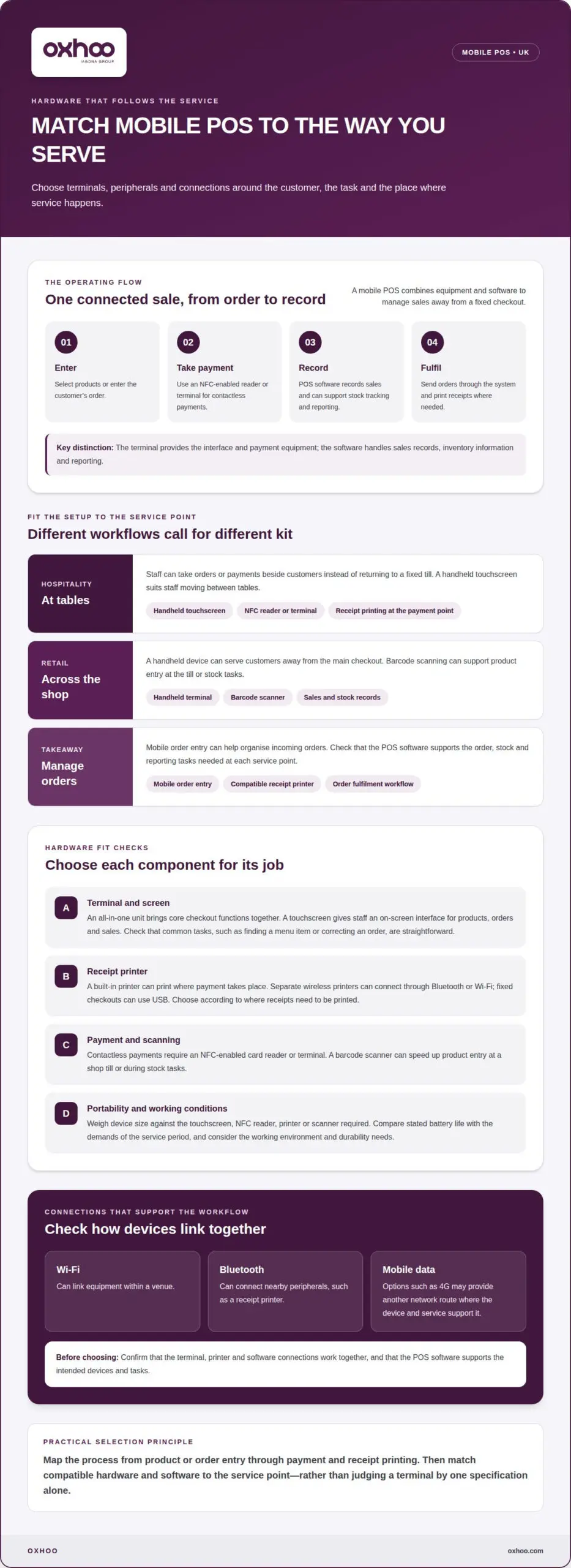
A mobile POS terminal lets staff take orders or payments beside customers instead of relying on a fixed till. Its usefulness depends on the workflow, software and peripherals required at each service point.
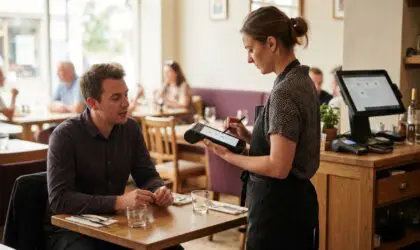
In a busy café, staff can take orders at tables or near the queue and send them through the POS system for fulfilment. Moving order-taking away from a fixed checkout can keep the counter clear and bring service closer to customers.
Sales and inventory information can help managers understand activity across the business. A retailer, for example, can use sales and stock records to plan replenishment, while a takeaway can organise incoming orders. Check that the software supports the order, stock and reporting tasks needed at each service point.
An all-in-one POS system brings core checkout functions together in one unit, reducing the number of separate components at the counter. A touchscreen terminal gives staff an on-screen interface for selecting products, entering orders and completing sales. In a small shop, this can help keep the checkout compact.
Check that the screen layout makes common tasks straightforward, such as finding a menu item or correcting an order. A fixed terminal can sit beside a cash drawer, while a handheld touchscreen suits staff moving between tables. The software needs to support the intended use of each device.
A mobile terminal with a built-in receipt printer can print receipts where payment takes place, which can be useful in a café serving customers at tables. Separate wireless receipt printers can connect through Bluetooth or Wi-Fi; fixed checkouts can use USB. Choose based on where receipts need to be printed.
Contactless payments require an NFC-enabled card reader or terminal. A barcode scanner can speed up product entry at a shop till or during stock tasks. Compatibility with iPhone, Android devices, tablets and receipt printers depends on the POS software, operating system and supported connections.
UK mobile POS devices may use Wi-Fi, Bluetooth or mobile data such as 4G, depending on the model. Wi-Fi can link equipment within a venue, while Bluetooth can connect nearby peripherals, such as a receipt printer. Mobile data can provide another network route where the device and service support it.
Choose connectivity for the service environment. Restaurant staff may need to move between tables, while shop staff might use handheld devices across the sales floor. Make sure the terminal, printer and software connections work together so orders and payment activity follow the intended workflow.
A mobile POS system combines hardware and software to process payments and manage sales away from a fixed checkout. Its components can also record transaction data and support inventory tracking and business reporting.
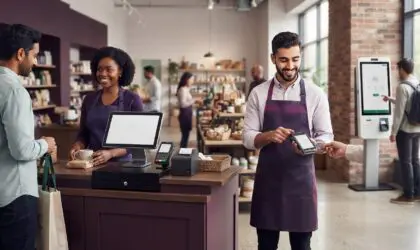
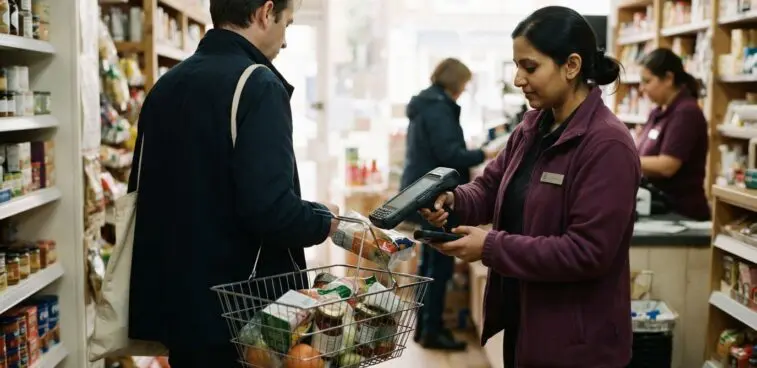
In a UK shop, a setup might pair a handheld terminal with a barcode scanner and compatible POS software. Staff scan a product, complete the sale and record the transaction through the system. The same basic arrangement can support different workflows, from taking payments on the shop floor to processing hospitality orders.
Hardware and software work together but have different roles. The terminal provides the interface and payment equipment; the software handles sales records, inventory information and reporting. An integrated setup connects these tasks in one operating flow instead of treating each sale as a standalone card transaction.
A portable card payment solution lets staff bring a payment terminal to the customer. In a restaurant, an employee can take payment at the table; in a shop, staff can serve someone away from the main checkout. This can suit businesses where customers and employees move around the premises.
Contactless payments require an NFC-enabled reader or terminal. Consider whether the device combines payment acceptance with order entry or connects to another POS device. This affects how staff complete a sale and how its details are recorded.
“Built-in payment processing” can refer to payment functions integrated into a terminal’s hardware or POS workflow. The physical reader accepts the customer’s payment method, while processing and settlement involve the relevant payment service. These functions are connected, but they are not the same.
For a retailer, an integrated checkout can connect a card payment with the sale recorded in the POS system. If the terminal supports a barcode scanner, staff can identify the product before taking payment. Assess how the equipment, software and payment arrangement work together instead of judging the terminal alone.
When comparing mobile POS providers, assess portability, stated battery life and included features against the demands of your service period. Weigh device size against requirements such as a touchscreen, NFC reader, printer or scanner. No single specification suits every UK setting: a table-service venue and a compact shop floor place different demands on handheld equipment.
UK businesses can choose from handheld terminals, portable card readers, touchscreen tills, barcode scanners, receipt printers and customer-facing displays. The right combination depends on whether staff serve customers at a counter, across a shop floor or at restaurant tables.
UK mobile POS providers supply card readers, POS terminals and handheld tills, either as separate devices or connected equipment. Choose a configuration to suit the workflow: a takeaway may need mobile order entry and receipt printing, while a retailer may prioritise barcode scanning and stock tasks.
Start setup by mapping the checkout process, from entering a product or creating an order through payment and receipt printing. Then configure compatible hardware and software, connecting devices through supported options such as Wi-Fi, Bluetooth or USB. A fixed counter can use a USB receipt printer; wireless printers can connect through Bluetooth or Wi-Fi.
Retail and hospitality have different operating patterns. In a shop, a handheld barcode scanner lets staff scan product labels away from the main till. Some wireless scanners can store scanned codes in internal memory when out of range and synchronise them after the connection returns, supporting stock work across the sales floor.
At a restaurant, a mobile POS terminal lets staff record orders at tables. A printer can produce receipts where service takes place, while a display can show customer-facing information. For takeaway operations, focus on how orders move from entry to preparation and collection. Choose hardware that supports this sequence without adding unnecessary devices.
For a UK installation, power connections matter alongside wireless pairing. Official UK-specification EPOS hardware includes standard UK 3-pin power leads. Fixed equipment can remain at the counter, whilst handheld devices move with staff. The setup should account for device placement, printer location and the connection each peripheral needs.
Compare equipment by task, not appearance alone. A retailer handling varied products may need a scanner and stock functions; a hospitality venue may prioritise mobile order entry and receipt printing. A touchscreen supports till entry, while a separate display serves another purpose. Matching each component to a defined task keeps the setup clear and practical.
Android and Windows POS systems can both suit business use. The right platform depends on your needs, scale and existing infrastructure. For a UK retailer, start by considering how staff use each point-of-sale device.
Android POS hardware includes handheld terminals and dedicated tills. It can suit workflows where staff need portable devices to serve customers around a shop. A handheld terminal supports sales away from the main counter, while a fixed Android unit can serve as the checkout.
Assess the software and connected equipment as one system. A receipt printer, scanner or payment reader needs to suit the workflow and work with the selected platform. This is especially important when staff move between order entry, payment and receipt tasks during a sale.
An Android tablet offers a larger touchscreen interface than a compact handheld terminal. At a small retail counter, it can display product categories for staff to select during checkout. In hospitality, a tablet can present order options for counter or table service.
The tablet is only one part of the setup. Consider whether it will be mounted or carried, which POS software it will use and how peripherals will connect. A tablet-based point-of-sale setup, for example, can pair with a wireless receipt printer when the software and equipment support that connection.
Windows POS systems can also support retail and hospitality. They may suit a business already using Windows-based infrastructure or needing its POS setup to align with existing systems. Android can suit businesses prioritising handheld or tablet-based workflows. Neither platform is automatically better; the decision depends on scale and operational needs.
Compare platforms against the tasks staff perform. A shop processing sales at a fixed counter may prioritise a stable till layout, scanner and receipt printer. A venue with staff taking orders across its floor may value handheld use and wireless peripherals more. In both cases, software compatibility determines which functions the terminal supports.
When planning a system, assign each device a role: checkout, order entry, payment or receipt printing. Then consider how the platform fits the business’s existing infrastructure and how additional terminals could support other locations or workflows. This gives the Android or Windows decision a practical basis instead of relying on the platform name alone.
For UK POS hardware, standard shipping is estimated at 1-5 working days. Treat that as a delivery estimate, not the full time until a device is ready for transactions. A retailer may still need the terminal, POS software and peripherals configured for its checkout workflow.
Stock availability affects how an order is prepared and dispatched. A single handheld device and a multi-component counter setup involve different equipment requirements. For example, a shop ordering terminals alongside a printer, scanner and cash drawer needs the complete set to work together, not simply arrive in separate boxes.
Plan the devices needed at each service point. A fixed counter might need a terminal, receipt printer and cash drawer; a mobile setup may need a handheld device and compatible payment equipment. Listing components clarifies the order and helps avoid overlooking an essential connection.
Plan the setup around the intended platform, too. Android and Windows POS equipment can require different software and peripheral configurations. A tablet-based checkout, for instance, needs compatible POS software and a suitable connection to its receipt printer. The arrival of the equipment alone does not complete the configuration.
Warranty terms are also part of the purchase decision. They explain how hardware faults are handled, which components are covered and what support applies during the coverage period. A receipt printer and handheld terminal have different day-to-day uses, so check which equipment the terms cover.
For a retailer opening a new counter, delivery coordination can follow a practical sequence:
The same sequence can help hospitality businesses. A venue adding a handheld terminal for table service needs it to work alongside existing checkout equipment. Aligning the device, POS software and wireless peripherals helps the transaction flow suit the venue’s operations.
OXHOO supplies commercial POS terminals and mobile POS solutions for UK businesses. Discuss POS hardware requirements with OXHOO to shape a configuration around your devices, platforms and service points.
OXHOO supplies mobile POS solutions for UK retailers and hospitality businesses that need staff to serve customers away from a fixed counter. Its POS terminals provide commercial checkout hardware, while mobile equipment can support workflows across a shop floor or dining area.
Start by considering how your team serves customers. A retailer may prioritise portability across the sales floor; a restaurant may need devices for taking orders at tables. OXHOO also supplies self-service kiosks and digital signage to support other customer touchpoints.
For businesses choosing mobile POS hardware in the UK, OXHOO supplies commercial equipment matched to operational needs. Contact OXHOO to discuss your mobile POS requirements.
Choosing mobile POS hardware in the UK gives you a chance to shape how customers experience your business. Consider which service points may change, how staff move between tasks and whether the equipment supports those workflows. A well-matched setup can help your premises work efficiently and present a cohesive experience.
OXHOO’s commercial range includes POS terminals, self-service kiosks and digital signage. These products support different customer touchpoints, from staffed checkout to self-service and in-venue displays. The right mix depends on your operational priorities and the role each device needs to play.
Set a clear direction for your next hardware investment, then discuss the requirements with a specialist. Discuss mobile POS with OXHOO and take the next step towards a setup aligned with your service style.
Mobile POS devices can support secure transactions when the full setup is configured appropriately. Security depends on the terminal, POS software, network and payment arrangements working together. Limit staff access to the functions their roles require, protect devices from unauthorised use and keep the system maintained. For example, store a handheld terminal securely when unattended between shifts and manage access credentials carefully.
A complete POS setup can combine a terminal with equipment such as a card reader, receipt printer, barcode scanner or cash drawer. The right combination depends on how a sale moves through your business. A retailer may need scanning and cash handling at the counter, while a café may prioritise mobile order entry. OXHOO supplies POS terminals and mobile POS solutions for commercial environments.
A hardware provider can match equipment to your service layout, staff workflow and existing systems. A retailer serving customers across a large floor, for example, has different needs from a takeaway using one collection counter. A considered selection also accounts for peripherals, device placement and the POS software platform. OXHOO supplies mobile POS solutions and commercial POS terminals.
A mobile POS records a sale on a portable device and connects the transaction to the business’s POS software. Staff can select items or enter an order, then use a compatible payment terminal to take payment. For example, an employee serving at a market stall can record a purchase without returning to a fixed till. The business can use transaction records for sales reporting.
The overall cost depends on the hardware configuration, software and business requirements. A setup with a terminal, barcode scanner, printer and cash drawer differs from one using a single handheld device. Software subscriptions and payment processing fees can also affect operating costs. For a useful comparison, separate equipment costs from recurring software or transaction charges, then assess which components support your workflow.
Mobile POS hardware costs depend on the terminal and included peripherals. Purchase and rental are different ways of acquiring equipment, each with its own terms. Specifications matter too: a handheld device with a card reader differs from a setup that also includes a printer or scanner. OXHOO supplies commercial hardware, with configurations matched to business requirements.
Transaction fees and monthly charges are separate from the hardware. Payment processing costs depend on the payment service arrangement, while software subscriptions can add recurring charges. Include both when estimating ongoing expenditure, alongside any equipment purchase. OXHOO supplies POS hardware; payment processing services and POS software subscriptions are separate from its hardware offering.
Accepted payment methods depend on the terminal and its payment configuration. An NFC-enabled reader or terminal supports contactless payments, including compatible mobile wallets such as Apple Pay and Google Pay. Chip and PIN acceptance depends on the card reader and payment setup selected for the business. A retailer, for example, can configure checkout around the payment methods its customers use and the terminal supports.