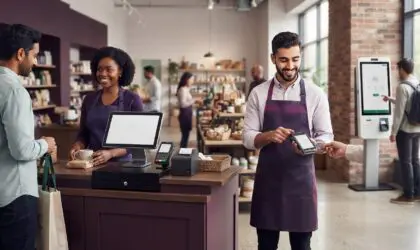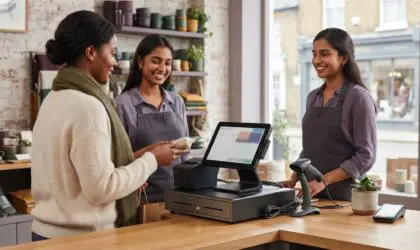

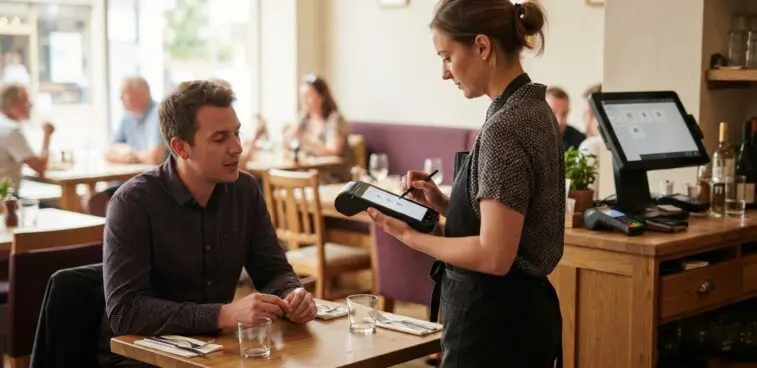
The best hospitality EPOS terminal isn’t necessarily the one with the longest feature list. It’s the one that fits how your venue takes orders, serves guests and handles payments, whether you run a café, restaurant, hotel or bar.
That’s why choosing a system involves more than comparing screens. A fixed terminal may suit a central till, whilst mobile POS can support service away from the counter. Hardware, payment options, implementation support and the rhythm of daily operations all shape what works in practice.
This guide explains how hospitality EPOS systems differ by venue type and what to consider when assessing their features. You’ll learn how terminals and other hardware support service, how payment methods fit into a setup, and what to plan for during implementation. It also covers the operational details to consider after installation, so you can choose for your venue rather than for a feature list.
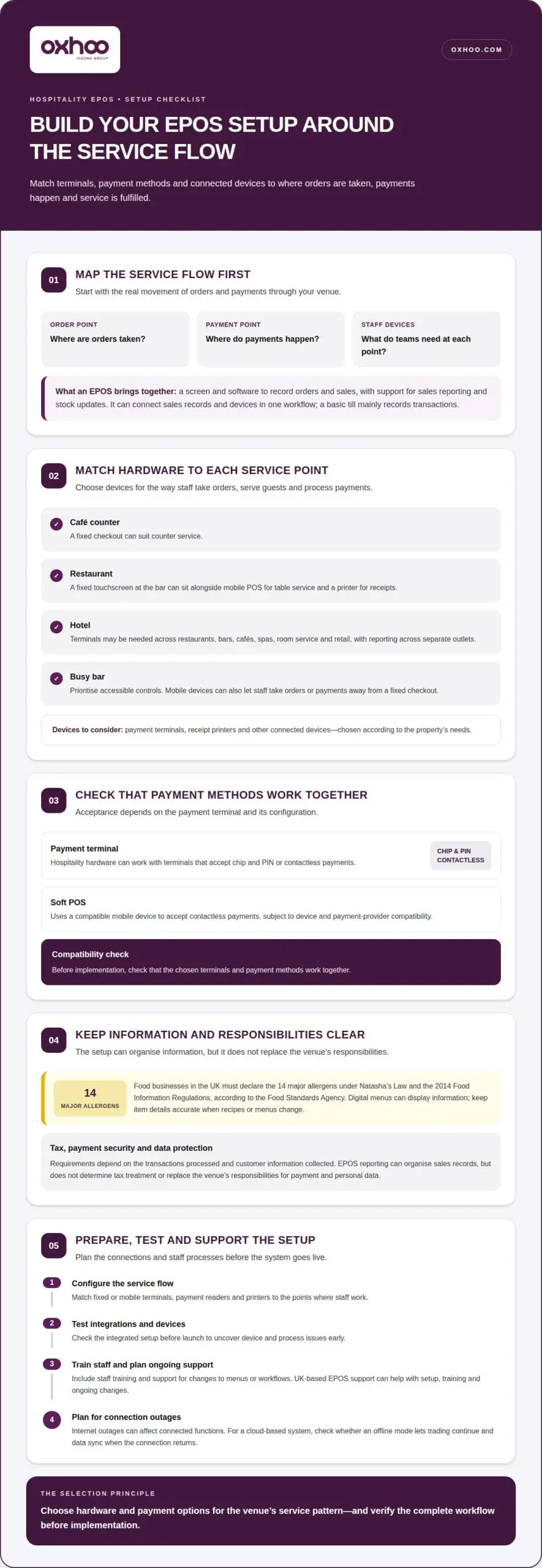
A hospitality EPOS terminal combines a screen and software to record orders and sales. Staff select items, enter quantities and send transactions through the payment setup. The system can also support sales reporting and stock updates. Unlike a traditional till, an EPOS can bring sales records and connected devices into one workflow; a basic till mainly records transactions.
Hardware should match the service pattern. A restaurant may use a fixed touchscreen at the bar, mobile POS hardware for table service and a printer for receipts. Hotels may need terminals across restaurants, bars, cafés, spas, room service and retail. Depending on the property’s needs, the setup can also include payment terminals, receipt printers and other connected devices.
Card and contactless acceptance depends on the payment terminal and its configuration. Hospitality hardware can work with payment terminals that accept chip and PIN or contactless payments. Soft POS uses a compatible mobile device to accept contactless payments, subject to device and payment-provider compatibility. Check that the chosen terminals and payment methods work together before implementation.
Payment options should fit how guests pay at each service point. A fixed checkout can suit a café counter, while mobile devices let staff take orders or payments away from it. Hardware also needs to suit the setting: a busy bar benefits from accessible controls, while a hotel may need consistent reporting across separate outlets.
Food businesses in the UK must declare the 14 major allergens under Natasha’s Law and the 2014 Food Information Regulations, according to the Food Standards Agency. Digital menus can display menu information, but the EPOS setup should support a clear process for keeping item details accurate when recipes or menus change.
UK tax, payment security and data protection requirements depend on the transactions processed and customer information collected. EPOS reporting can organise sales records, but it doesn’t determine tax treatment or replace the venue’s responsibilities for handling payment and personal data.
Start by mapping the service flow: where orders are taken, where payments happen and which devices staff need. A restaurant, pub or café can then match fixed or mobile terminals, payment readers and printers to those points. Plan for system configuration, integration testing, staff training and ongoing support.
Common risks include incompatible payment devices, unclear workflows and internet outages affecting connected functions. If you choose a cloud-based system, check whether it has an offline mode so trading can continue during an outage and data can sync when the connection returns. Testing the integrated setup before launch helps uncover device and process issues early.
The right system connects the tools your venue needs without complicating service. Useful hospitality features include clear order entry, suitable integrations and reporting. Kitchen connections matter where orders need to reach preparation teams.
Kitchen integration can send an order from the point of sale to a kitchen display system or printer. This gives kitchen staff a clear record without relying on handwritten tickets or re-entered orders. For example, a restaurant can route food orders to the kitchen and drinks orders to the bar, so each team receives the information relevant to its station.
Self-service kiosks add another ordering point, allowing guests to select items themselves. Their role depends on the venue: a quick-service café might use a kiosk for counter orders, while a hotel could use one for a specific guest service. The key is ensuring kiosk orders enter the same sales and fulfilment workflow used by staff.
Delivery and online ordering integrations connect digital orders with the venue’s EPOS workflow. When orders flow into the same system as counter or table sales, staff can manage them alongside other service activity. Integration with reservation platforms and online ordering tools has become increasingly important for UK hospitality venues post-2023. The practical value lies in reducing disconnected order handling and keeping sales information together.
Hotels should distinguish between an EPOS and a property management system (PMS). An EPOS manages outlet orders and transactions; a PMS handles property and stay operations, such as reservations, check-in and guest profiles. Integration can connect the two, but the intended data flow matters. Hotel teams should define how room charges, guest information and transaction data move between systems.
Hospitality features should reflect the venue’s service pattern, not simply add more screens. A café may prioritise fast product selection, while a restaurant may need table and kitchen workflows. A hotel may need reporting by outlet, sales period or product. UK-based EPOS support can help with setup, training and ongoing changes, particularly as menus or workflows evolve.
Before selecting a pos system, map each connection: ordering channel, sales record, fulfilment point and reporting view. Then consider whether existing kitchen equipment or other devices can be used with the system. A carefully planned setup can bring payment terminals, kitchen management systems, mobile apps and kiosks into an integrated operation. For venues considering a tailored physical setup, explore venue-specific EPOS hardware.
An EPOS affects service beyond taking payment. In a restaurant, clear table information and direct order entry help staff keep each course moving. Paper orders that must be entered again add a handover, while unclear table details can slow service. Linking order records to the right table gives front-of-house teams a consistent view of each bill.
During a busy period, real-time sales data can help managers adjust staffing to demand. If order activity rises at the bar, a manager can reassign team members rather than relying only on a later review. EPOS staff tools can also record hours and monitor performance, giving managers a clearer view of shift activity alongside sales.
Customer purchase history can show what guests buy, their preferences and how often they return. For example, a restaurant could use recorded orders to identify popular dishes or recognise a customer’s usual choices. These insights can inform service and relevant promotions. They’re most useful when records are accurate and staff can apply them without interrupting the guest experience.
Loyalty functions can connect customer records with eligible offers, promotions or discounts. A venue might use visit frequency to tailor an offer for returning guests, then record its use through the EPOS. This keeps discounts visible in transaction records and helps the team understand which promotions prompt repeat visits. Loyalty should support a considered customer relationship, not add unnecessary checkout steps.
Bill handling also affects the pace of service. Manual bill splitting can delay card payments, particularly when a table requests separate amounts. A well-organised EPOS workflow lets staff allocate items or amounts before presenting the bill, making the process clearer for colleagues and guests. Mobile POS can bring that workflow to the table instead of requiring repeated trips to a fixed counter.
Hotels have additional opportunities to connect guest service with sales records. When an EPOS links to a property management system, staff may identify a guest by room number or name and post an eligible purchase to their room. Digital records can reduce handwritten notes, duplicate entry and manual reconciliation. Reporting can then help teams see where guests and non-guests spend, and which products perform well across outlets.
Self-service kiosks can shift selected orders to a guest-operated screen while staff focus on other tasks. The right balance depends on where queues or workloads build up. An EPOS setup should address those pressure points, whether that means clearer table information, easier bill handling, tailored loyalty offers or useful sales and staff data for managers.
EPOS software and hardware work together to record sales and support service. For a hospitality business, the right balance depends on its outlets, devices and workflows.
Hardware costs depend on the number and type of devices a venue needs. A single counter may require a terminal, stand, receipt printer and cash drawer; a larger restaurant may add kitchen printers or handheld devices. Each additional station affects the overall setup, so the venue’s service layout helps determine the equipment required.
Consider how each device will be used during a shift. A fixed terminal can serve a central till, while mobile POS hardware can support ordering away from the counter. Kitchen printers can direct tickets to the relevant preparation area. Choosing hardware for distinct tasks helps avoid equipment that adds complexity without serving a clear purpose.
Compatibility matters too. An EPOS setup may include a terminal, printer and connected kitchen equipment, so the devices need to work together. For example, if a sale should update stock automatically, the software needs suitable inventory functions and accurate item records. Integration testing can identify gaps before staff rely on the setup during service.
EPOS pricing may combine a software plan with hardware, installation and training. On the UK market, a restaurant EPOS software plan typically costs between £47 and £79 per month. Hardware is a separate consideration, and the final equipment requirement depends on the number of terminals, printers and other devices in the venue.
Software manages the operational records behind each sale. It can process orders and payments, apply relevant pricing or discounts, and produce reports. Sales figures can update instantly, while connected inventory can adjust stock after a sale. Integrated stock records can reduce manual counting and help limit stock-management errors.
Menus and workflows change, so configurable on-screen commands and buttons can make the interface more relevant to staff. A café might prioritise quick access to popular items; a restaurant may need clear order entry for different courses. Matching screen functions to those tasks can make the system easier to use throughout a shift.
Consider continuity as well as routine operation. If you choose a cloud-based EPOS system, check whether it has an offline mode so trading can continue during an internet outage and data can sync when the connection returns. Assess this alongside hardware compatibility, stock handling and the reporting your venue needs.
The right EPOS configuration depends on where customers order, how staff serve them and what managers need to review. A café, restaurant, pub and hotel can each need distinct screens, workflows and reporting.
For a café, quick product selection and payment are often central. A touchscreen can show common drinks and food items, helping staff enter orders without searching through paper notes. A compact menu layout can keep frequently ordered options visible. If the café sells changing specials, clear item controls help staff select the current offer at the till.
A restaurant may place more emphasis on table management and kitchen workflow. Staff can select dishes on screen, attach them to a table and send orders to the relevant preparation point. Clear course and table details help teams coordinate service. For a pub serving food and drinks, separate categories for bar orders and meals can make sales easier to manage across service points.
Hotels often need a wider view across outlets. An EPOS can process sales in food and beverage areas, including restaurants, bars and cafés. Reporting that separates revenue by outlet, sales period or product helps teams see which areas contribute to sales. A hotel with room service and a retail area may value reports that distinguish those transactions from restaurant activity.
Inventory functions matter where menus contain ingredients or retail stock. A connected system can automatically update stock levels when a sale is made. Managers can use sales and stock data to decide what to buy, when to buy it and how much to order. A café might track popular food items, while a hotel shop could monitor merchandise separately.
Consider the working environment as well as the screen layout. A busy pub bar needs an interface that makes product choices clear during rapid transactions. A restaurant may need staff to move between table details and menu items. In a hotel, consistent product categories across outlets can make reporting more useful, provided each outlet’s sales remain identifiable.
The practical takeaway is to match features to the venue’s actual service pattern. List the key order points, the teams that fulfil each order and the reports managers use. Then prioritise functions that support those tasks instead of choosing a system simply because it offers more features. This keeps the EPOS design focused on each venue’s needs.
Plan an EPOS setup for your venue around its service points, screen layout and reporting needs.
OXHOO supplies POS terminals for hospitality venues seeking durable, purpose-designed checkout hardware. Its terminals are built for continuous all-day operation and backed by a 5-year warranty with next-day on-site support.
For a venue with several service points, POS hardware can sit alongside self-service kiosks, digital menus or digital signage. The right combination depends on how guests order and where staff need to complete transactions. A fixed terminal can anchor a counter, while a kiosk can provide a separate self-service point.
OXHOO is a natural next step when you’re planning or refining the physical setup for your restaurant, pub, café or hotel. Contact OXHOO to discuss the POS terminal hardware that fits your venue.
Use your venue’s busiest service points to guide the next decision. Identify where orders begin, where guests pay and where staff need information. This practical view helps define which physical touchpoints matter most without adding equipment simply because it is available.
A hospitality EPOS terminal forms one part of the venue’s technology setup. OXHOO supplies POS terminals, self-service kiosks and digital signage, giving venues options for checkout, guest ordering and on-site information. Consider each in relation to your layout and the experience you want to create, then build a setup around the demands of daily service.
For a café, that may mean focusing on the counter; for a hotel, it could mean considering several guest-facing areas. OXHOO can help you explore the hardware options relevant to your venue. Discuss your venue’s EPOS setup and take a considered next step towards a more coherent service environment.
Integrations pass agreed information between the EPOS and other venue systems. For example, a hotel may link outlet sales with its property management system, while a restaurant may route orders to kitchen equipment. The important detail is what information moves: product data, order status, guest details or transaction records. Mapping those handovers helps teams understand where updates appear and which system remains the main record.
Repeated data entry, unclear order details and delays handling bills can interrupt service. For example, a server who must rewrite a paper order into another system creates an extra handover. Unclear table references can also send staff back to confirm where dishes belong. Map a busy shift from order-taking through fulfilment and payment to pinpoint the handover causing the most friction and address that specific problem.
The total cost depends on the hardware, software and implementation required for the venue. A single till point has different needs from a restaurant with separate service stations, kitchen equipment and mobile ordering devices. Software plans and hardware may also be priced separately. To understand the overall budget, distinguish recurring software charges from one-off equipment and setup costs, then assess each against the workflows the system needs to support.
The best fit depends on whether you need software, payment processing, physical terminals or a combination. Compare options by how they serve your venue’s workflows, device requirements and integrations, rather than relying on a single ranking. OXHOO supplies commercial POS terminals, self-service kiosks and digital signage hardware. This suits businesses whose requirement centres on the physical setup rather than software subscriptions or payment processing.
These connections depend on compatibility between the selected EPOS, devices and software. Card machine pairing depends on the payment terminal arrangement, while online orders need a route into the venue’s order workflow. Accounting connections depend on whether the systems exchange the necessary sales information. Test how a completed sale appears in reporting and whether online orders remain distinguishable from counter transactions.
A setup typically centres on a terminal, with additional devices chosen for the venue’s service points. A café counter may need a receipt printer and cash drawer, while a restaurant may also use kitchen printers or mobile POS hardware. Hotels can require terminals across different outlets. Match each device to a task, such as taking orders, recording payment or sending preparation details, rather than treating every item as essential.