

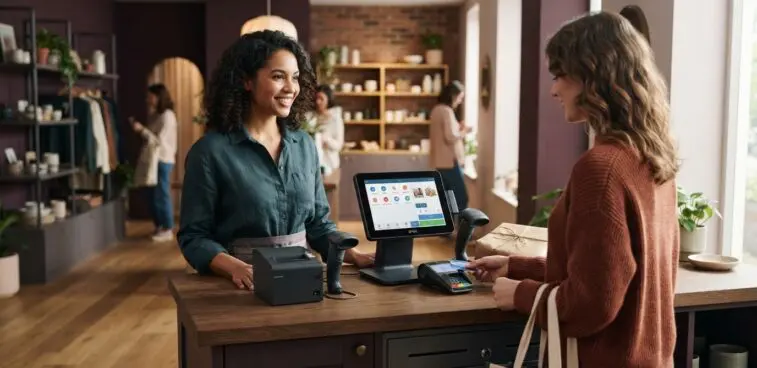
The right Aures EPOS terminal alternatives match your retail workflow, peripherals and budget, not just the look of your existing hardware. Compare EPOS features, software integrations, barcode scanners, receipt printers, cash drawers and form factors before choosing. The best fit supports how your team sells, serves customers and manages stock.
It’s easy to focus on the terminal, but day-to-day usability depends on how the whole setup works together. A compact counter, busy checkout and mobile selling point may each need a different configuration.
This guide explains what to assess, from inventory and reporting features to compatibility, ownership costs and physical design. It also compares fixed terminals with tablet and mobile options, helping you shortlist a solution that suits your shop’s operations and presentation.
Connection type matters during installation and when equipment changes. A wired scanner may suit a fixed checkout, while a wireless model can reduce cable clutter around a compact counter. The terminal’s ports also affect placement: a till positioned against a wall needs accessible connections for a printer and scanner. Plan cable routes around staff movement and routine cleaning.
Software compatibility deserves equal attention. The EPOS system must recognise each peripheral and pass information correctly between devices. For example, a barcode scan should identify the matching product in the till, while the receipt printer should receive the completed transaction. Test each interaction instead of assuming that individually functioning devices will work together.
Before replacing hardware, map a representative checkout from scan to payment and receipt. Test a sale, a cash transaction and a printed receipt, then confirm that the drawer responds as expected. If tills use different equipment, record each configuration separately. This reveals where a standard setup is practical and where a counter needs a different combination.
For a new counter, choose the terminal and peripherals as one coordinated arrangement. Consider screen position, cable access and the space required for the scanner and printer. A carefully planned EPOS hardware setup can keep the checkout orderly whilst accommodating the devices staff use throughout a shift.
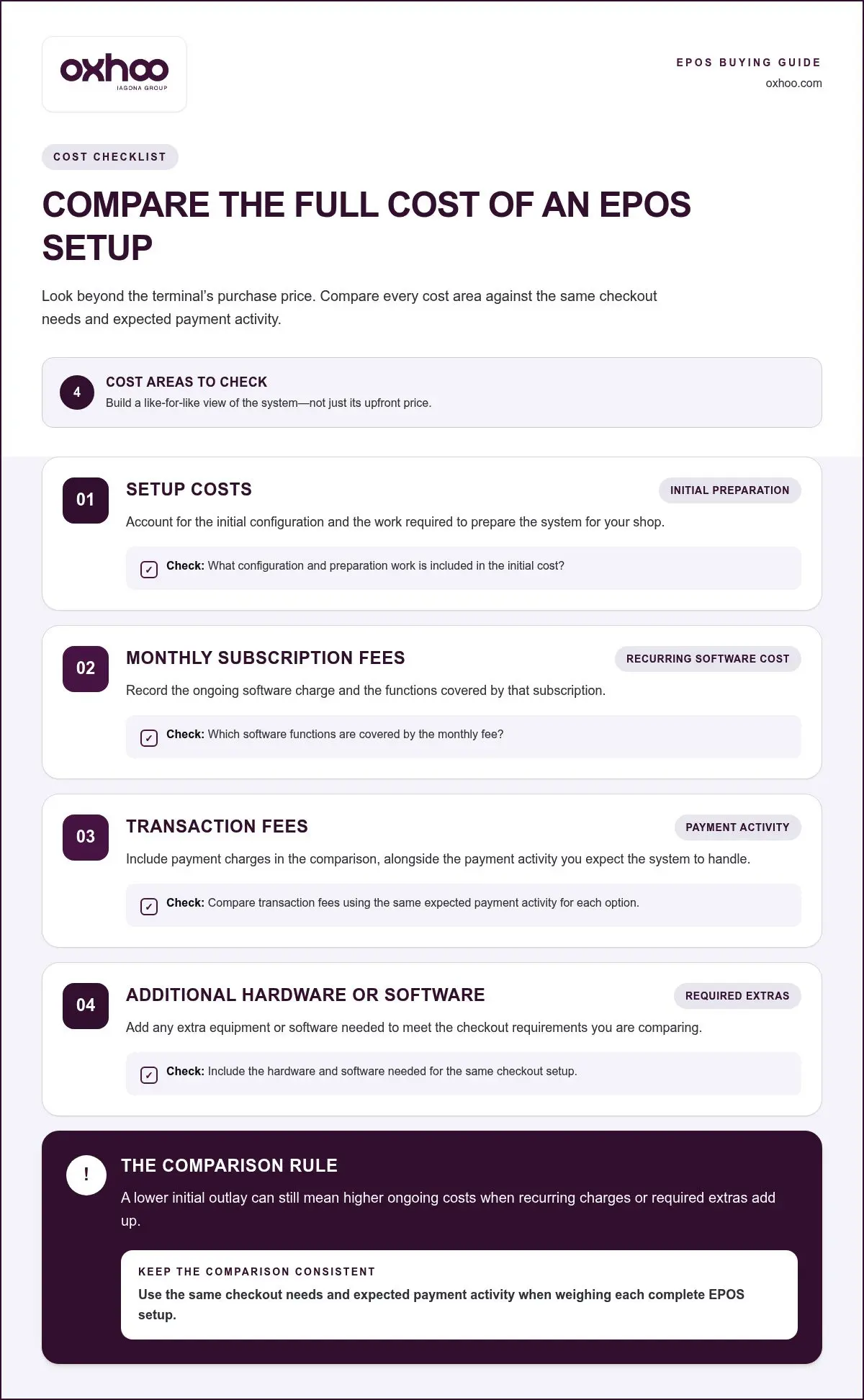
Compare the full cost structure, not just the retail terminal’s purchase price. EPOS budgets can include setup costs, monthly subscription fees, transaction fees, and additional hardware or software. A lower initial outlay may still lead to higher ongoing costs if recurring charges or required extras add up. Build a like-for-like comparison using the same checkout needs and expected payment activity.
Separate each cost into a clear category before comparing systems:
Hardware choices can change the initial setup cost. A fixed till may require a terminal, barcode scanner, receipt printer and cash drawer. If you’re replacing only the terminal, distinguish new equipment from peripherals you can continue using. This gives a more accurate view than treating every item as a fresh purchase.
Software costs depend on the functions and integrations your operation needs. For example, a retailer seeking inventory management and sales reporting should compare whether these functions are included in the software arrangement or involve additional charges. Match each recurring fee to a business task, rather than comparing subscription labels alone.
Compare transaction fees separately because they relate to payment activity. Consider the mix of card payments and other accepted methods in your shop, then assess how the applicable fee structure affects projected spending. Keep this calculation separate from terminal and software costs to make payment acceptance easier to evaluate across alternative setups.
Use a simple ownership-cost worksheet for each option. List the initial setup, monthly subscription fees, transaction fees, and extra hardware or software. Note which costs recur and which are one-off. For a shop with multiple tills, assess the complete setup rather than a single checkout, since equipment and subscriptions may apply across terminals.
Finally, compare each system against the work it must support. Remove optional extras that don’t serve a defined retail task, but retain components required for scanning, receipts or payment. The most useful comparison shows the cost of a complete working setup, its recurring commitments and the features those costs provide.
A terminal’s form should suit the counter, staff movement and customer interaction. A fixed checkout needs stable positioning for routine scanning and payment, while a compact till may benefit from a smaller footprint. Assess screen size, operating system, ports, mounting options and peripheral connections together. Each affects where the terminal can sit and how staff use it during a transaction.
Start by measuring the available counter space and identifying the cashier’s working position. A screen angled towards staff keeps product entry visible, while a customer display needs a clear view from the opposite side. Check cable routes and access to ports before settling on a mount. A terminal placed against a wall, for example, needs connections that remain reachable.
Choose a form factor to suit the setting. Traditional EPOS systems suit fixed locations such as retail shops and can combine a terminal with checkout peripherals. Tablet EPOS systems suit restaurants and cafés, where staff can take orders and process payments at the table. Mobile EPOS can also support food trucks and market stalls, using devices such as smartphones to take payments on the go.
For a retail counter, compare these mounting considerations:
A larger screen can make product selection and on-screen menus easier to see, but takes up more counter space. Consider how many staff share each terminal and whether they work from one fixed position. If tills have different counter designs, document each layout separately. This helps identify whether one mounting arrangement can serve every checkout.
Compare the operating system and port arrangement alongside the physical design. The setup needs to support its software and the peripherals used at each till. For example, a wall-mounted terminal with inaccessible ports can complicate equipment changes. Map the screen, mount, cables and surrounding devices before installation, then assess the complete setup from the cashier’s position.
Finally, weigh the terminal’s appearance against practical access. A streamlined counter can support a considered shop presentation, but staff still need room to work and customers need a clear payment area. Select a form factor that fits the actual retail environment, rather than choosing a screen or mount in isolation.
Choose a terminal by matching its specifications to your checkout tasks, counter layout and support needs. Compare complete configurations, not brand names alone.
What are the best alternatives to Aures EPOS terminals in the UK? Elo, HP and Posiflex are useful brands to include in a retail shortlist. The right choice depends on the specific terminal model and how it fits your software, peripherals and daily checkout workflow.
Start with the requirements that shape each transaction. Note the screen size, operating system, ports, mounting and peripherals needed at your till. For example, a shop using a barcode scanner and receipt printer should prioritise a configuration that accommodates both. Then compare shortlisted models against operational needs, rather than selecting by appearance alone.
How do Aures, Elo, HP, and Posiflex EPOS terminals compare on specifications and reliability? Compare each model’s screen, operating system, ports, mounting options and peripheral compatibility, as these details determine how well it fits a particular checkout. Assess reliability through model-specific warranty terms, support availability and repair arrangements, rather than an unsupported brand-wide ranking.
Use the same checklist for every option. Match the terminal to the software and equipment already in use, then assess warranty coverage and support channels. A system with the right connections may still be a poor operational fit if its mounting conflicts with the counter or its software cannot support the required workflow. Review model-level details alongside the complete setup.
Where can UK businesses buy or lease Aures EPOS alternatives? Businesses can source terminals through UK commercial EPOS hardware suppliers, while leasing is arranged through equipment finance providers. Compare purchase and lease terms against the equipment, support and ownership arrangements included, rather than judging by payment structure alone.
Before deciding, prepare a written specification covering the screen, ports, operating system, mounting and required peripherals. Add warranty and support requirements, then request a like-for-like proposal for the intended configuration. A purchase comparison should account for equipment and ongoing commitments; a lease comparison should make the payment period, return conditions and maintenance arrangements clear.
For a tailored retail terminal configuration, discuss your EPOS terminal requirements and outline the checkout workflow, hardware and support priorities your business needs. Also check whether the proposed configuration suits the checkout’s physical setup and the equipment needed for routine transactions. When choosing an EPOS terminal, businesses should consider screen size, operating system, ports, mounting, peripherals and warranty support. Reviewing these factors together helps avoid a setup that meets one requirement but creates a mismatch elsewhere. Confirm that the selected model can be installed in the intended position and accommodate the peripherals required at the till.
Compare EPOS support availability, channels and responsiveness before making a decision. Consider how assistance is accessed and whether the available support matches your business needs. Review these arrangements alongside the terminal specification, so your choice reflects both the day-to-day checkout setup and the help available if an issue arises. Keep requirements consistent across shortlisted configurations to judge which option fits best.
OXHOO offers POS Terminals for UK retailers comparing Aures EPOS terminal alternatives. Built for continuous all-day operation, every terminal is backed by a 5-year warranty with next-day on-site support. This can suit shops seeking commercial hardware for a fixed checkout and a defined support arrangement.
Consider how a terminal will sit within your wider retail environment. OXHOO also offers self-service kiosks, digital signage and digital menu solutions, supporting businesses planning customer-facing technology beyond the till. Choose a setup around your checkout workflow, available space and customer experience priorities.
If you’re refining a retail hardware specification, contact OXHOO to discuss your requirements or visit oxhoo.com.
Your next EPOS decision can also shape how customers interact with your shop. Consider Aures EPOS terminal alternatives as part of a wider retail environment: should checkout, self-service and in-store communications work together as your requirements develop? A clear view of those priorities helps keep the hardware choice aligned with your business direction.
OXHOO supplies POS terminals, self-service kiosks and digital signage for businesses planning customer-facing technology across the retail environment. Each serves a distinct role, from staffed checkout to self-service and in-store messaging. Focus your next step on the experience you want to create and the equipment that supports it.
Contact OXHOO about EPOS options to discuss your retail requirements. A considered choice today can provide a confident foundation for what comes next.
Choose an EPOS system by matching its workflow to how your staff serve customers. For a shop opening a temporary till during a seasonal rush, consider whether a separate terminal can use the same product catalogue and reporting approach as the main checkout. Compare candidate Aures EPOS terminal alternatives using a realistic transaction sequence, including a sale, refund and end-of-day review, before choosing a configuration.
Operating-system support depends on the exact terminal model, not its brand name alone. For each candidate, look for the named operating system and version in the product specification, then match it to your EPOS software requirements. For example, if your existing retail software runs on Windows, a terminal listed for Android or Linux may not suit that setup. Include peripheral drivers in your compatibility assessment.
Look for a touchscreen terminal that supports a customer-facing display and connects to your payment terminal. Assess the hardware and configuration as a complete checkout setup.