

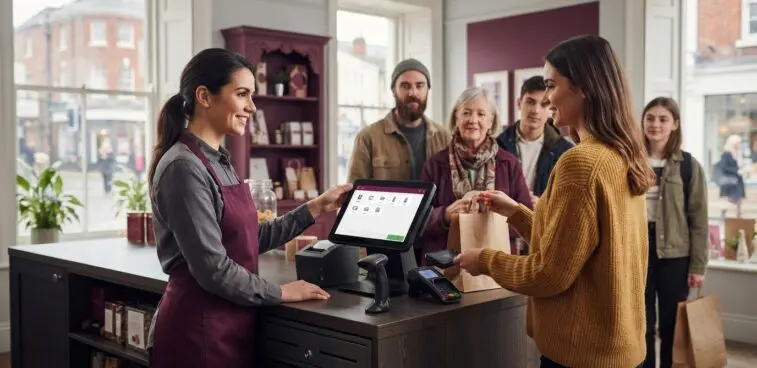
According to the QueueAway Retail In-Store Benchmarks 2026, 58% of shoppers abandon a purchase after waiting five minutes in a physical queue. At peak times, a POS terminal for busy shops needs to support more than reliable transactions: it must fit the counter, staff workflow and pace of service.
It’s easy to focus on screen size or appearance, but the right choice depends on what happens during your busiest trading periods. Slow checkout tasks, awkward peripheral placement and a cluttered counter can all interrupt the flow. Hardware is only one part of the setup, alongside the software and payment services it works with.
This guide shows you how to assess peak-hour demands, compare terminal hardware with your checkout routine and plan a practical introduction. You’ll consider the equipment that matters at the till, how layout affects staff movement and what to weigh up before choosing. OXHOO commercial EPOS hardware is designed for demanding, all-day operation and comes with a 5-year warranty and next-day on-site maintenance.
A queue forms while one customer searches for a payment card, another asks a question and a colleague reaches for equipment behind the till. During a rush, small interruptions can add up. Consider a POS terminal for busy shops in that real setting: as part of the checkout arrangement, not as a standalone solution to every delay.
A POS terminal for a busy shop is the central hardware point staff use to carry out checkout tasks in a clear, repeatable flow. Its practical value depends on its position at the counter, how staff use it and how the surrounding equipment and chosen software support each transaction. Point-of-sale systems can include different combinations of screens and peripherals, as outlined in this overview of point-of-sale systems. The right arrangement is the one that supports your shop’s actual routine.
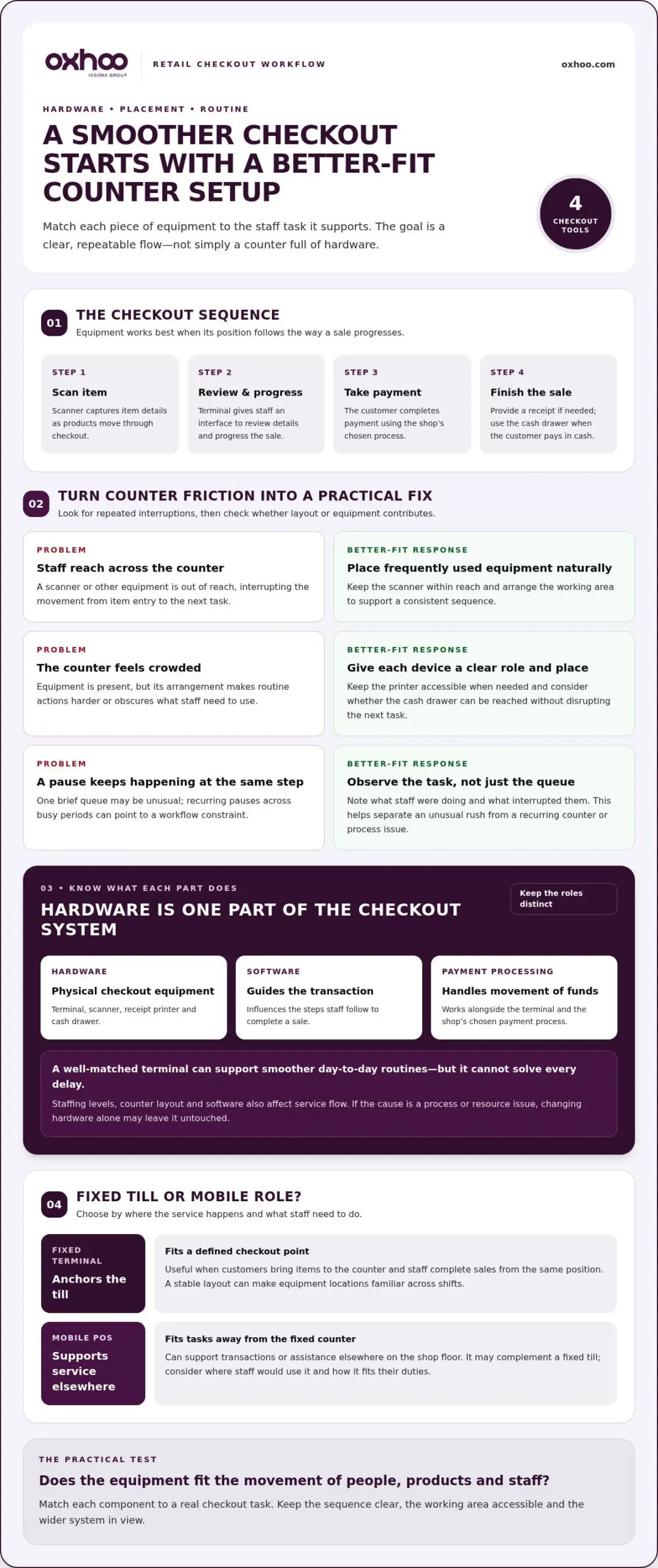
Follow the customer’s journey from approaching the till to completing checkout. Staff may need to identify items, enter or confirm details, take payment and provide a receipt. Notice where the sequence stalls. A scanner may be out of reach, a receipt printer may be obscured, or a staff member may have to turn away to find something before continuing.
One brief queue doesn’t necessarily indicate a hardware problem. A recurring pause at the same step, across different shifts or busy periods, points to a workflow constraint worth investigating. Note what staff were doing and what interrupted them. This helps distinguish an unusual rush from a counter arrangement that repeatedly makes routine tasks harder.
Accessible, well-arranged hardware can help staff follow a consistent sequence instead of reaching across the counter or switching tasks unnecessarily. For example, placing equipment within a natural working area may reduce awkward movement between scanning an item and progressing the sale. These details can support an orderly checkout, but they don’t guarantee shorter queues.
Service flow also depends on factors beyond the terminal. Staffing levels affect how many customers can be served at once, counter layout shapes movement, and the chosen software influences the steps needed to complete a transaction. If a delay comes from a process or resource issue, changing hardware alone may leave its cause untouched.
Start by identifying the interruption, then consider whether the terminal’s position, format or supporting equipment contributes to it. This keeps the decision grounded in observable needs rather than headline specifications. A well-matched terminal can support smoother day-to-day routines, while an effective checkout still depends on the wider system and the people using it.
At the counter, each piece of equipment has a distinct role. The terminal presents the till interface and gives staff a central point for progressing a sale. A barcode scanner captures item details, a receipt printer produces a paper record when required, and a cash drawer provides a place to handle cash. Their value lies not simply in being present, but in how they support the actions staff perform in sequence.
POS terminal hardware is the physical equipment used for checkout tasks. Software guides the transaction, while payment processing handles the movement of funds. Keeping those roles distinct makes it easier to assess the counter as a working system, rather than treating every checkout function as part of the terminal.
A typical transaction might begin with a staff member scanning an item and reviewing its details on the terminal screen. They progress the sale through the till interface, direct the customer to complete payment using the shop’s chosen process, then provide a receipt if needed. If the customer pays in cash, the drawer supports that part of the interaction. The exact sequence depends on the shop’s systems and procedures.
Placement affects how naturally those actions connect. A screen positioned clearly for the operator can make information easier to follow, while a scanner within reach can reduce unnecessary movement during item entry. Keep the receipt printer accessible for when it’s needed, and consider whether the cash drawer can be reached without disrupting the next task. Aim for an orderly, repeatable routine, not a crowded counter.
A fixed terminal anchors service at a defined checkout point. It suits a routine where customers bring items to the counter and staff complete each sale from the same position. A stable layout also makes equipment locations familiar across shifts, helping the team follow a consistent pattern.
Mobile POS hardware serves a different role. Staff can use it away from the fixed counter when the shop’s service model calls for transactions or assistance elsewhere on the floor. It can complement a fixed till rather than replace it. Consider which tasks staff would carry out away from the counter, where they would use the device and how it would fit into their duties.
For a POS terminal for busy shops, the practical question is how the hardware fits the movement of people, products and staff. OXHOO designs and supplies commercial EPOS terminals and mobile POS hardware for demanding, all-day operation. Explore OXHOO’s commercial POS hardware as you consider which format best suits your checkout routine.
Compare each option against the work it needs to support, rather than choosing by screen size or processor description alone. A specification is useful when it answers a defined requirement, such as whether the terminal fits the counter or lets staff complete routine tasks without awkward reaches. Assess a POS terminal for busy shops in the context of the people, space and tasks around it.
| Comparison point | What to assess |
|---|---|
| Workflow fit | Does the format suit the order and pace of checkout tasks? |
| Footprint | Can it sit securely without crowding staff or customer space? |
| Peripherals | Which scanner, printer and cash drawer does the routine require? |
| Service pattern | Is service centred on one counter, or does staff work happen elsewhere? |
| Support | What warranty and maintenance arrangements apply to the hardware? |
Keep the hardware decision separate from software subscriptions and payment-processing arrangements. The terminal is the physical equipment; software and payment services shape other parts of the till setup. Exploring how to use pos system tools to complete sales and check reports can help teams get the most from their chosen software. Assess each against its own needs, then consider how the elements work together in your shop.
Measure usable counter space and consider where staff stand, reach and look during a sale. Position the screen for clear operation without obstructing customer-facing areas. Match peripherals to actual tasks: a shop scanning most items has different needs from one entering many details manually. Include the printer and cash drawer in your layout so equipment doesn’t compete for the same working space.
For sustained retail use, consider hardware designed for demanding, all-day commercial operation. Its form should also suit the customer-facing environment, with a footprint and appearance that work at the counter. OXHOO commercial hardware comes with a 5-year warranty and next-day on-site maintenance. Treat these as practical support considerations alongside physical fit, rather than substitutes for it.
For example, a compact counter with a simple transaction routine may call for a smaller footprint and only the peripherals staff use. A high-throughput, multi-till operation may need a consistent layout across several checkout points, with space planned for each station’s equipment. Neither setup is automatically better. The right comparison depends on the shop’s service pattern and available space.
Build a shortlist by recording each requirement beside the relevant comparison point. This makes trade-offs visible and keeps the decision focused on daily use, rather than a feature that sounds impressive but doesn’t solve a defined need.
A short, structured assessment turns the search for a POS terminal for busy shops into a practical brief based on how your team works. Observe a representative rush, follow the checkout journey, decide which requirements matter most, then record them clearly. This helps separate essential hardware needs from features that would be useful but aren’t necessary for your current service pattern.
Choose a busy period that reflects normal peak trading, rather than an exceptional event. Watch how customers arrive, how staff handle transactions and where the process pauses. Note equipment that’s hard to reach, moments when someone leaves the till, and variations such as returns, requests for assistance or more than one checkout point operating at once.
Use these steps in order:
Make the notes specific. “The scanner is difficult to reach during item entry” gives you something concrete to address. “The till feels slow” is less useful until you identify which task or step is causing the delay. If several tills are in use, record whether the same issue appears at each position or only at a particular counter.
Group your findings under three headings: essential, desirable and not currently needed. For each item, state the operational reason. For example, a receipt printer may be essential if staff provide printed receipts as part of the routine. A different counter format may be desirable if it improves the working space but doesn’t address a frequent interruption.
Include the peripherals your team uses, the available counter area, where staff and customers need clear access, and whether service takes place only at a fixed point or elsewhere in the shop. Describe the task each requirement supports. This keeps the brief focused on real use rather than a list of specifications without context.
Once the requirements are written down, compare them against commercial EPOS hardware designed for demanding, all-day operation. OXHOO’s terminals and mobile POS hardware can be assessed against the needs you’ve documented. Explore OXHOO POS hardware and shape a setup around your shop’s workflow.
A terminal chosen for a busy shop needs to suit its trading conditions as well as its counter. OXHOO designs and supplies commercial EPOS terminals for demanding, all-day operation, giving retailers hardware intended for the sustained rhythm of day-to-day use. Judge how well it fits against your documented requirements: the service pattern, counter space, staff routine and equipment the checkout needs.
Support matters because the hardware decision extends beyond the initial fit. OXHOO commercial hardware comes with a 5-year warranty and next-day on-site maintenance. Factor these practical support provisions into your assessment alongside the terminal’s suitability for your shop. They offer reassurance around ownership and maintenance, but shouldn’t be read as a guarantee of uninterrupted operation.
Keep the distinction clear when comparing options. The warranty is a stated term of support for the hardware; next-day on-site maintenance is a separate maintenance provision. Neither replaces the need to select a terminal that fits the counter and intended workflow. Commercial hardware also won’t resolve delays caused by staffing, shop layout or the steps in the chosen till software.
A considered comparison brings these elements together without confusing them. Your operational brief can guide the assessment of:
By this stage, you’ve identified what the checkout needs to do, how staff use the space and which hardware requirements are essential. That gives you a more useful basis for evaluating a POS terminal for busy shops than a broad feature list. You can relate each option to a clear operational need and distinguish the terminal itself from software and payment arrangements.
OXHOO’s commercial EPOS terminals and mobile POS hardware are designed for demanding, all-day operation. The 5-year warranty and next-day on-site maintenance add defined support considerations to your decision, while matching hardware to your shop’s service model remains essential. Use your brief to focus on the format and support that best align with your team’s work.
Explore OXHOO’s POS terminals and compare the hardware with your shop’s documented requirements.
A considered terminal choice can shape how confidently your team handles the busiest moments. Use your requirements as a practical reference when exploring hardware, keeping the focus on your shop’s demands rather than features without a clear purpose. Select a POS terminal for busy shops with its everyday role, physical setting and support arrangements in mind.
OXHOO’s commercial hardware is designed for demanding, all-day operation and comes with a 5-year warranty and next-day on-site maintenance. These provisions are useful context as you consider the longer-term fit of a terminal for your retail environment.
Explore OXHOO POS terminals and compare the available hardware with your shop’s requirements. A clear brief helps you choose a setup that is practical for the work ahead.
The best type is the one that suits how customers are served and how staff move through each sale. A fixed counter terminal may suit a shop where transactions consistently take place at the till; mobile hardware may better support service away from it. When choosing a POS terminal for busy shops, consider the counter’s available space, the team’s routine and whether customers need to see information on screen.
A well-matched terminal can support a more orderly checkout, but it can’t guarantee shorter queues. Identify what’s causing the wait: scanning delays, price checks, returns or customer questions may each call for a different response. If staff regularly leave the till to confirm a detail, changing the hardware alone may not address the underlying process. Queue management also depends on staffing and shop procedures.
Start with the pattern of transactions, not just the number of tills. Consider whether sales involve quick, repeated item entry, frequent returns, complex product choices or several staff roles sharing the same station. Then assess how the terminal will fit the busiest shifts and whether the setup can accommodate changes to the shop’s service model. A short staff walk-through can reveal practical issues that a specification sheet won’t show.
Choose peripherals according to the tasks your shop performs. A customer-facing display may help shoppers follow information during a sale; a weighing device may be relevant where goods are sold by weight. A separate payment device can also form part of the checkout arrangement. These are examples, not a standard bundle: avoid adding equipment staff won’t use, and plan the counter so essential items are accessible.
Mobile POS can suit shops where staff need to serve customers away from a fixed counter, such as assisting with a purchase elsewhere on the shop floor. It can complement a stationary till rather than replace it. Consider which tasks staff need to complete while moving, where they’ll use the device and how it fits their responsibilities. OXHOO supplies mobile POS hardware for commercial environments.
After-sales support matters because hardware is part of a working retail operation, and maintenance needs can affect how the team plans its day. Compare the stated warranty scope with the maintenance provision, including what each covers and how support is delivered. Distinguish hardware cover from operational guarantees: support terms provide reassurance, but shouldn’t be interpreted as a promise that interruptions can never occur.
Not necessarily. A POS terminal is the physical hardware; software provides the interface and tools used to manage transactions, while payment processing handles the transfer of funds. These may be supplied through separate arrangements, so don’t assume they’re included with a hardware purchase. OXHOO supplies commercial POS terminals and mobile POS hardware, not POS software subscriptions or payment processing services.